VSCO is a connected system for photographers offering a complete editing suite, AI-powered tools, and a thriving creative community. It provides professional-grade presets, fine-tuned editing controls, and seamless cross-device workflows to help creators develop a signature look anywhere.
Pro editing toolkit across devices
VSCO’s photo editor gives you full-suite control across desktop and mobile. Get the same professional-grade toolkit, whether you are at your desk or shooting on the go. Every control you need to take an image from capture to finished edit, without compromise. No switching between apps. No losing your workflow. Just a complete studio editing experience built for photographers who take their work seriously, wherever it happens.
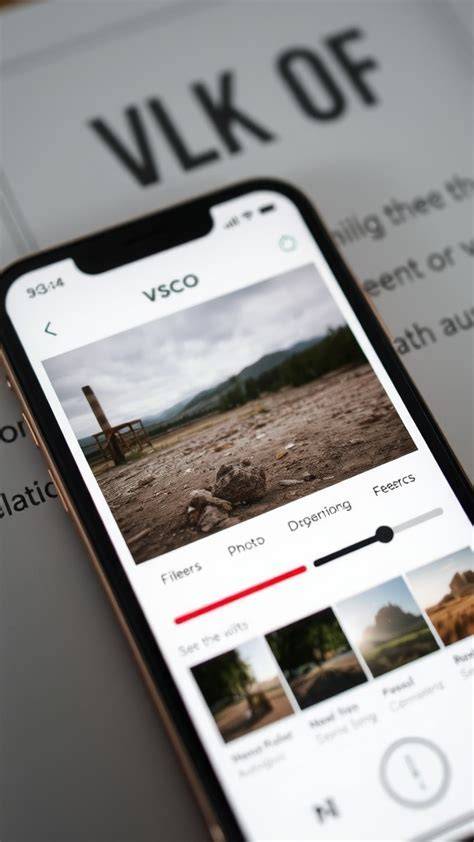
Edit photos with hundreds of presets, from lab-developed film emulations to photographer-inspired edits and cinematic grades. VSCO presets make editing effortless with professional photo filters and one-tap photo effects that elevate your unique style. The look you've built on mobile shouldn't stay there; VSCO Web Studio lets you edit photos on desktop at full resolution, with the complete toolkit you rely on, running directly in your browser on Mac or PC.
Edit your photos from anywhere with accessible tools like HSL, Grain, Dodge & Burn, and more. After applying a filter, you can fine-tune exposure, contrast, white balance, and other properties to match your vision across a whole shoot. You can also save custom photo editing Recipes to reuse on multiple photos, enabling efficient batch editing.
AI-powered enhancements for speed and precision
Delight in AI Lab, which makes powerful AI photo editing possible at full resolution. Remove distractions, change backgrounds, eliminate noise, refine portraits, and upscale without losing natural detail or creative intent. AI Lab handles the heavy lifting in one tap so you save time and always deliver your best work. It enables you to upscale, dehaze, and remove elements without sacrificing quality.
Studio Pro further accelerates high-volume workflows for professionals. Import a full photoshoot, apply your signature edit to every frame, and watch it happen in real time. What used to take hours can now take seconds, with your style staying intact across every image. Style Match reads any photo and reverse-engineers its color, tone, and mood-then rebuilds it using VSCO presets and tools tailored to your shot.
Film-inspired looks and extensive preset libraries
VSCO offers a library of over 200+ premium photo presets, including film emulations inspired by Kodak, Fuji, Ilford, and more. The film look is recreated through VSCO Film X presets, which emulate the color and tone of true analog film stocks. Classic film filters give you deep blues, vibrant reds, and natural rendering, helping you achieve authentic film aesthetics in digital images.
In addition to free presets, VSCO Pro presets unlock advanced controls for precise adjustments in contrast, color, and tone. The WE series provides creator-collaborated looks, while cross-processed presets and color grading presets offer a broad palette of moods-from quiet, muted tones to vibrant, saturated imagery.
Web and desktop editing: same looks, greater flexibility
VSCO Web Studio brings desktop editing to your browser, with full resolution edits and the complete toolkit. It supports batch editing across multiple images and enables automatic cross-device syncing so you can start on desktop and finish on mobile. Studio Pro extends this with features like batch processing and Style Match, optimized for high-volume workflows.
The VSCO ecosystem includes not just editing tools but community and client-facing features. VSCO Galleries lets you create professional client galleries with collaborative uploads, and VSCO Spaces provides a collaborative environment for feedback and idea-sharing. These components help photographers manage their business and creativity in one place.
Presets, changes, and workflow across formats
VSCO supports RAW editing on compatible iOS devices, enabling precise fine-tuning of highlights, shadows, and exposure with maximum flexibility. You can edit JPEG, PNG, BMP, and HEIC files in different environments, including Web Studio on Mac and Windows PCs. You can also import from Adobe Lightroom, and the same presets apply across platforms to keep your look consistent.
Presets work as one-tap filters that define a signature look, while individual tools let you refine every aspect of an image. You can combine filters with tools like grain, fade, and HSL to achieve a personalized result. The ability to save and reuse edits as Recipes makes batch edits quick and scalable for clients or large shoots.
Video editing and multimedia capabilities
Yes, you can edit videos using the VSCO video editor. VSCO lets you edit photos and videos with the same creative tools and retro film effects, available on iPhone and Android. Studio Pro and Web Studio primarily focus on photo editing, but VSCO’s broader suite includes video workflows for multi-format storytelling.
Memberships and access
VSCO offers a tiered membership system. A basic free tier provides essential tools and filters, while paid memberships unlock an extensive library of over 200 presets, Pro presets, advanced controls, AI features, and more. VSCO Membership gives you access to the full ecosystem, including Web Studio and Studio Pro, with a free 7-day trial to start exploring.
VSCO emphasizes a connected workflow: your edits sync across devices, enabling a seamless transition from desktop to mobile. You can edit on Mac or PC via Web Studio and continue editing on iPhone or Android without losing your adjustments or creative direction.
Community, inspiration, and learning
Beyond editing, VSCO fosters a global community where photographers can share work, gain feedback, and discover new approaches. Spaces and Galleries enable collaboration and client presentations, while the VSCO Blog and Help resources support ongoing learning and troubleshooting. The platform continually updates with new features and improvements to keep editors at the top of their game.
Ключевые кейсы использования
- Профессионалы, обрабатывающие крупные фотосессии: Studio Pro обеспечивает массовую обработку и сохранение фирменного стиля на сотнях кадров. Style Match и расширенные ручныеControls ускоряют рабочий процесс без потери качества.
- Фотографы, работающие на месте съемки: мобильное приложение и AI Lab позволяют быстро улучшать кадры на месте и отправлять клиентам черновики или готовые версии.
- Фотографы, сотрудничающие с клиентами: Web Studio и Galleries упрощают обмен proofs, сбор отзывов и презентацию портфолио.
Часто задаваемые вопросы
- What is the VSCO photo editor? - A mobile and desktop editing platform with presets, filters, and tools for professional photography.
- Is the photo editor free to use? - VSCO offers a free tier with essential tools; advanced features require a paid membership.
- Does VSCO support RAW editing? - Yes, on supported iOS devices.
- Can I edit photos on my computer? - Yes, via VSCO Web Studio and Studio Pro.
- Can I edit videos with VSCO? - Yes, in mobile apps; video editing features are available and integrated with the same creative tools.
VSCO One: How to Run Your Photography Business From One Place | Full Workflow Walkthrough
In summary, VSCO combines decades of color science with modern AI-powered enhancements and a robust collaborative ecosystem. It supports RAW and JPEG workflows, desktop and mobile editing, and a rich library of film-inspired presets that help photographers define and scale their signature style while maintaining professional-grade quality across all formats and platforms.