DXF (Drawing Exchange Format) is a common file format used in computer-aided design (CAD) software. With a DXF editor, you can open, view, and edit DXF files according to your specific requirements. It lets you make changes to, review, and mark up existing drawings or designs for effective sharing and collaboration. This guide has tested and collected the 9 best free DXF editors of the year. Please ensure that the DXF editor provides ample drawing tools, including lines, arcs, text, and more, for flexible creation and editing of designs. Moreover, consider the ability to effectively and easily organize and edit layers to better control the visibility and structure of your designs. A useful DXF editor should support a wide range of DXF versions so that you can open and edit DXF files from different DXF versions. Also, you should familiarize yourself with the DXF editor’s import feature to ensure it interprets and displays your DXF files correctly. Make sure the DXF editor maintains good performance when handling large and complex design files. To ensure a stable and smooth workflow, it’s recommended to try desktop DXF editors. In the meantime, they often provide more editing tools and powerful capabilities.
Top 1: ZWCAD - Versatile CAD Editor with Cloud Collaboration
ZWCAD is a full-fledged CAD expert that supports a wide range of CAD file formats including DXF, DWG, DWT, DWS, PDF, and so on. It can also work as a DXF viewer and editor with robust toolsets for 2D drawing and 3D modeling. Moreover, it allows you to store your designs in the cloud and collaborate with your teammates from anywhere. Meanwhile, ZWCAD is lightweight and requires only a minimum specification of 2GB RAM and 1GB graphics card. What’s more, there are smart capabilities to improve your productivity and efficiency. Smart Plot can plot multiple DWG files at once without opening each one. Smart Mouse lets you use common commands quickly with your mouse. Smart Select enables you to filter and choose multiple objects in a complex DWG file. Smart Voice can help annotate with voice rather than text. In its latest 2026 version, ZWCAD added Smart Match for automatically identifying and batch-editing identical shapes, and Smart Dimension for automatically recognizing object types and generating accurate dimensions, both significantly enhancing drawing efficiency and reducing manual effort.
The suite combines familiar drafting workflows with modern collaboration features, making it a strong all-around choice for teams that need robust DXF editing alongside other formats.
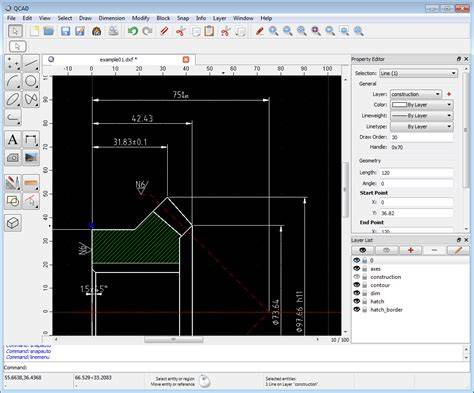
Top 2: QCAD - Open Source 2D CAD with DXF Focus
QCAD is an open-source program for CAD designs and drawings in 2D. It offers a range of features and capabilities that enable you to create precise and detailed 2D drawings. It supports widely used DXF, DWG, SVG, PDF, BMP, JPEG, and PNG file formats. When it comes to editing DXF files, QCAD provides 20+ modification tools and 40+ construction tools. It provides a comprehensive set of drawing tools such as lines, arcs, circles, polygons, ellipses, and splines. These tools allow you to create and modify geometric shapes with ease. Moreover, you can trim, stretch, scale, rotate, mirror, and offset entities to refine your 2D designs. The software includes a powerful layer management system to organize and group elements in the drawing. You can control the properties and visibility of specific layers which makes it easier to work with complex designs. With a popular Open Source license, it also supports scripting in JavaScript that allows you to automate repetitive tasks or create custom functions.
QCAD emphasizes accessibility and community-driven development, making it a reliable choice for those who prefer open tooling and scriptable workflows.
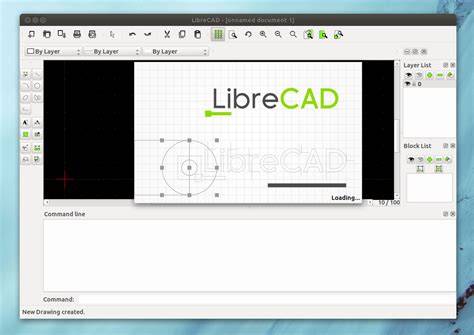
Top 3: LibreCAD - Open Source 2D Drafting for Precision
LibreCAD is also an open-source application, which was first created as a project stemming from QCAD. The software primarily focused on 2D drafting and design. It provides a range of features and tools that make it easy to create precise and detailed drawings. The software offers a variety of drawing tools such as lines, arcs, circles, ellipses, polygons, and more. These tools allow you to create and manipulate various geometric shapes in DXF files with ease. Besides, it provides a set of editing tools that allow you to modify and edit DXF files. It also includes a layered drawing environment where you can organize elements into different layers. This helps you manage complex drawings by providing control over layer visibility and properties. Furthermore, it provides tools for you to add accurate measurements, text, and labels to convey vital information and specifications within the designs.
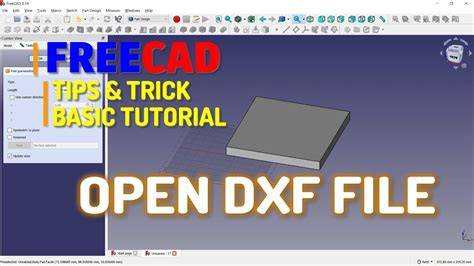
Top 4: FreeCAD - Parametric 3D Modeling with DXF Flexibility
FreeCAD is a free and open-source parametric 3D modeling software that offers a comprehensive set of features for designing and modeling real-life objects. Meanwhile, it supports dozens of different CAD file formats such as DWF, DWG, STEP, IGES, OBJ, STL, SVG, SHP, DAE, IFC or OFF, NASTRAN, VRML, and OpenSCAD CSG. The software utilizes parametric modeling techniques that allow you to create models by defining and manipulating parameters and constraints. This approach enables easy modification of DXF files by adjusting parameters to ensure changes propagate throughout the design. Additionally, it offers 3D modeling tools including primitives (such as boxes, cylinders, and spheres), sketch-based modeling, and advanced features like sweeps, lofts, and fillets. It includes a Robot workbench that supports robot simulation and programming. You can import, simulate, and analyze robotic systems, define movements, and test robot behavior within the design environment. Also, it is extensively scriptable using Python which lets you automate repetitive tasks, develop complex designs, and customize the software to your specific needs.
Top 5: nanoCAD Free - Powerful 2D Drafting with Rich Toolset
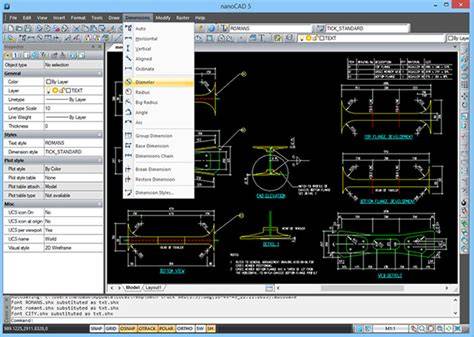
nanoCAD Free is powerful 2D drafting and design software for free registration that provides a comprehensive set of tools for creating precise and professional technical drawings, not to mention editing dxf files. Compared to expensive commercial CAD software, it offers a range of features that cater to the needs of architects, engineers, and designers. nanoCAD free offers over 450 familiar commands via menus, toolbars, command lines, or macros/scripts that boost your overall workflow. Moreover, it provides an extensive array of tools specifically designed for 2D drafting including line, polyline, circle, arc, rectangle, and many more. It also offers smart dimensioning tools that automatically detect and apply dimension constraints to objects. What’s more, the software lets you snap precise points and geometric entities to ensure accurate alignment, positioning, and geometric relationships between objects in the drawing. It enables you to organize your drawings into layers as well as better control over the visibility and properties of different objects. Meanwhile, it supports various programming interfaces like Visual Basic for Applications (VBA) and .NET API.
Top 6: DWG FastView - Cross-Platform DXF/DWG Viewer and Editor
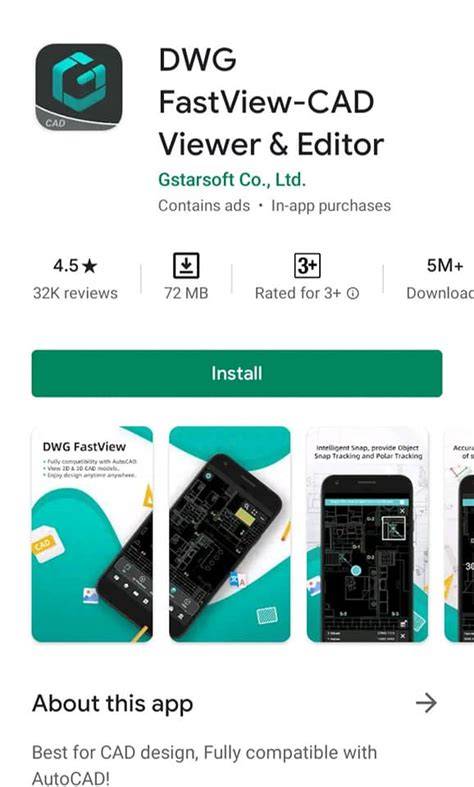
DWG FastView is a versatile CAD viewer and editor that supports both DXF and DWG file formats. It offers a comprehensive set of tools for viewing, editing, annotating, and sharing CAD drawings across multiple platforms, including Windows, mobile devices, and web browsers. The software provides an intuitive user interface with features such as layer management, zoom and pan, measurement tools, and annotation capabilities.
Top 7: M4 Personal - Parametric 2D/3D Drafting
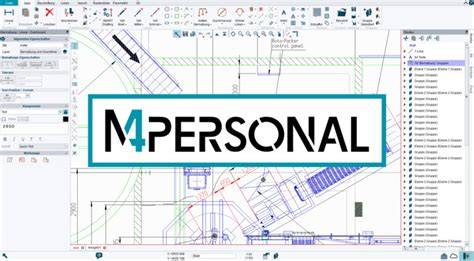
M4 Personal is developed by CAD Schroer and offers a comprehensive set of features that cater to the needs of engineers, designers, and hobbyists. While featuring a user-friendly interface, this DXF file editor makes it easy for users of all skill levels to quickly open, view, and edit DXF files. The software offers comprehensive 2D drafting and documentation tools. You can generate detailed 2D drawings from the 3D models and complete them with dimensions, annotations, and other necessary details. It also employs a robust parametric modeling approach that allows you to create intelligent and editable 3D models. Moreover, you can create complex part designs and assembly models with features such as extrusions, revolves, sweeps, holes, fillets, and more. In addition, it offers optional add-on modules to extend its capabilities. Better yet, it has extensive training and support resources like tutorials, webinars, documentation, and a responsive support team.
Top 8: ASPOSE DXF Editor - Online 3D DXF Tools
The online tool from ASPOSE is designed to cater to the needs of developers, designers, and individuals while it provides a range of features for working with 3D DXF files. The online DXF editor provides a powerful 3D viewer that allows you to visualize and inspect DXF files. You can rotate, pan, and zoom the 3D models to examine them from various angles and perspectives. This feature is especially useful for people to review designs, identify issues, and verify the accuracy of the models. Also, it supports exporting DXF files to various other formats, including STL, OBJ, FBX, and more. This flexibility allows you to convert the designs into formats compatible with other software or hardware for further processing, simulation, or manufacturing. It enables collaboration by inviting team members or stakeholders to access and review the designs over the cloud.
CADReader:The Premier DWG/DXF Viewer & Editor
Top 9: Conholdate - Metadata and Online DXF Editing
Conholdate is a comprehensive provider that offers a range of powerful tools and APIs for working with various file formats. Its Metadata API feature allows developers and users to extract, manipulate, and manage metadata associated with files. Being an online DXF editor, it lets you modify and update the metadata properties of DXF files. This includes changing values like the author, title, description, keywords, copyright information, and other relevant attributes. Moreover, you can search for specific metadata information within DXF files. The pity is that it only supports DXF files of up to 20MB.
To enable smooth online workflow in desktop alternatives, select cloud options where available and consider offline-capable editors for sensitive data. The choice depends on your needs: whether you require 2D-focused drafting, 3D modeling, scripting, or cloud collaboration. Free tools range from browser-based editors to fully fledged desktop applications, each with its own strengths and limitations.
Practical workflow tips
- Always verify layer management and visibility settings before sharing designs.
- Test import/export compatibility with other DXF-capable software.
- Explore scripting or macro capabilities to automate repetitive edits.
- Evaluate performance on large assemblies to ensure smooth editing sessions.
| Editor | Strengths | Best For |
|---|---|---|
| ZWCAD | Broad format support, cloud collaboration, smart productivity features | Team projects with cloud workflow |
| QCAD | Open source, strong 2D tools, scripting | Open-source workflows |
| LibreCAD | Simple 2D drafting, layered environment | Lightweight 2D tasks |
| FreeCAD | Parametric modeling, multi-format support | Integrated 3D and 2D workflows |
| nanoCAD Free | Extensive 2D toolset, VBA/.NET API | Advanced 2D drafting without cost |